
Everything About the LIC Merchant Portal
What is one of the most important things in the insurance business? The answer would be agents and merchants!
Even a popular government company like LIC understands this well. Merchants have played a key role in expanding LIC’s reach, building trust at the local level, and growing its business consistently. To support this system, LIC has introduced the LIC Merchant Portal.
The LIC Merchant Portal is a platform service provided by LIC to its merchants. It not only makes the premium collection process simpler but also enhances the speed of the whole operation.
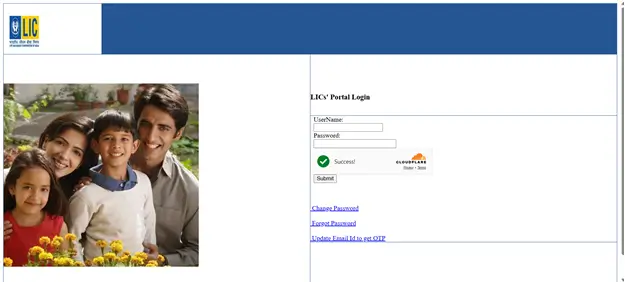
If you are an LIC merchant and want to log in to the LIC Merchant Portal, then open the LIC website, click on “Login,” select “Merchant Portal,” press “Login,” enter your username and password, and click “Submit” to access your dashboard. You can also make your work simpler in many ways as an LIC merchant by using the portal.
It helps authorised merchants to collect premiums, check policy details, and assist customers quickly and easily.
LIC Merchant Portal: A Quick Overview
The LIC Merchant Portal is an online platform introduced by LIC to manage premium transactions, access policy details, and provide quick support to policyholders without any hassle.
With this portal, merchants can handle multiple policy payments in one place and offer instant payment confirmation to customers. This not only improves service speed but also enhances customer trust and experience.
Who Can Use the LIC Merchant Portal?
The LIC Merchant Portal can be used by:
 Authorised LIC merchants
 LIC agents
 Premium collection centres
These are trained individuals approved by LIC to help customers with premium payments and basic policy services.
How the LIC Merchant Portal Works in Real Life
For example, if a customer wants to pay their LIC premium at the last moment, they can visit a nearby LIC merchant. The merchant quickly checks the policy, collects the payment, and gives a receipt within minutes. This makes the process fast and hassle-free for the customer.
Who is an LIC Merchant?
An LIC Merchant is a person chosen by LIC (Life Insurance Corporation of India) to help customers with their policies. LIC hires trained people called “merchants” to collect payments and help customers.
Each LIC Merchant gets a special ID and password to log in to the LIC system. Their main work is to collect premium payments from people for which they earn a commission. Along with premium collection, they can also check policy details, update information, and help with services like loan status or surrender value.

Roles and Responsibilities of LIC Merchants
LIC Merchants have many important jobs to help customers and make LIC services run smoothly. Here are some of the main things they do:

Collect Premiums from Customers:
LIC Merchants help people pay their policy premiums on time. They can do this through the online portal or at special LIC payment counters.
Make and Manage Invoices:
They can create bills (invoices) for each payment and keep a record of them using the LIC Merchant Portal.

Give Policy Information to Customers:
LIC Merchants help customers understand their policies. They give correct details and answer questions using the tools in the LIC system.

Help with Loans, Surrenders, and Renewals:
If a customer wants to take a loan on an LIC policy, surrender it, or renew it, the LIC Merchant can help with all these services quickly.

Handle Online Transactions:
LIC Merchants also manage online payments, update policy info, and use secure systems to complete the work smoothly and safely.
All these tasks are managed directly from the LIC Merchant Portal dashboard, which makes it the central workspace for every merchant’s daily operations.
LIC Merchant vs. LIC Agent
LIC Merchant and LIC Agent may sound similar, but their roles are quite different. An LIC Merchant focuses on helping existing customers with premium payments, while an LIC Agent handles policy sales and provides long-term support to customers.
This table helps you to understand the difference between the LIC merchant and the LIC agent:
| Features | LIC Merchant | LIC Agent |
|---|---|---|
| Role | Collects premium payments and provides basic support to customers | Sells policies and builds long-term customer relationships |
| Main Work | Collects premiums, issues receipts, and checks policy details | Helps choose policies, manages renewals, and assists in claims |
| Commission | Earns commission on each premium collected | Earns commission on policy sales and renewals |
| Training Need | LIC itself provides the required training | A compulsory IRDAI training is required |
| System Access | Access for LIC Merchant Portal | Access for sales, servicing, and customer systems |
| Work Location | Works from authorised collection centers or offices | Can work independently or with LIC offices |
| Income Opportunity | Depends on the number of premium transactions handled | Depends on policy sales and renewals |
| Customer Focus | Focuses on servicing existing policyholders | Focuses on both new and existing customers |
| Skill Requirement | Requires basic system and customer handling knowledge | Requires sales and product knowledge |

How to Become an LIC Merchant?
Becoming a LIC Merchant, it is compulsory to meet basic qualifications, submit documents, clear interviews, complete training, and pass the required exam. Once approved, LIC issues a merchant code so you can start working through the portal.
Here is the detailed explanation about how to become an LIC merchant:
Eligibility Criteria
Must be 18 years or aboveShould have passed Class 10 from a recognized boardMust hold a valid PAN card
Documents Required
Birth Certificate or valid age proofClass 10 CertificatePAN Card
Simple Steps to Become an LIC Merchant
To become an LIC Merchant, follow the given steps:Step 1: Visit a Nearby LIC Office Go to your nearest LIC branch and meet the Development Officer or branch staff. Submit your documents and ask about becoming an LIC Merchant.Step 2: Attend the Interview LIC will arrange a short interview to check your eligibility, documents, and interest in the role.Step 3: Complete the Training If selected, you must attend a 25-hour training programme conducted by LIC. This will teach you about insurance basics and merchant duties.Step 4: Appear for the IRDAI Exam After training, register for the IRDAI exam and take the test. You must score at least 40% to pass.Step 5: Receive Appointment Letter & Merchant Code Once you clear the exam, LIC will issue an appointment letter with your unique merchant code and assigned location. After a final briefing, you can start working through the LIC Merchant Portal.
Key Features of the LIC Merchant Portal
The LIC Merchant Portal provides practical tools that help merchants manage payments and customer requests smoothly. These features are grouped below for easy understanding:
| Invoice Management | Query Handling | Receipt Management |
|---|---|---|
| Make invoices for collecting premium payments | Ask questions and check updates about payments or invoices | View and print premium payment receipts |
| Update invoices that are still pending | Track query status in the portal | Fix problems related to receipt printing |
| See details of invoices that are already paid | Follow up on unresolved requests | Download receipt copies if required |
| Pay invoices online using net banking | — | — |
Apart from these, the portal also helps with:
- Policy Details: It helps to check policy status, due dates, premium history, and customer information instantly.
- Online Payment: It also settles invoices through net banking directly from the portal.
- Tracking Payments: The LIC merchant portal monitors paid and pending transactions and follows up on unsettled amounts easily.
What You Can Do in the LIC Merchant Portal
The LIC Merchant Portal lets you handle daily tasks quickly and digitally. From checking policies to completing payments, everything is managed in one place.

View Policy Details
It helps to check policy status, due dates, premium history, and customer information instantly.
Generate Invoices
With the LIC merchant portal, it is easy to create invoices for premium collections and keep records of all transactions.

Print Receipts
Helps to download or print payment receipts and hand them to customers right away.
Pay Online
It also settles invoices through net banking directly from the portal.

Track Payments
The LIC merchant portal monitors paid and pending transactions and follows up on unsettled amounts easily.
Easy Steps for LIC Merchant Portal Login
LIC Merchants can access the portal in two ways. If you are an LIC merchant, then you can log in to the LIC Merchant Portal by following the simple steps:
Method 1: LIC Merchant Portal Login Process via Official Website
Open LIC Website Click “Login” Select “Merchant Portal” Click “Login” Enter Username & Password Click “Submit” Access Dashboard
- Step 1
Open the official LIC website in your browser.
- Step 2
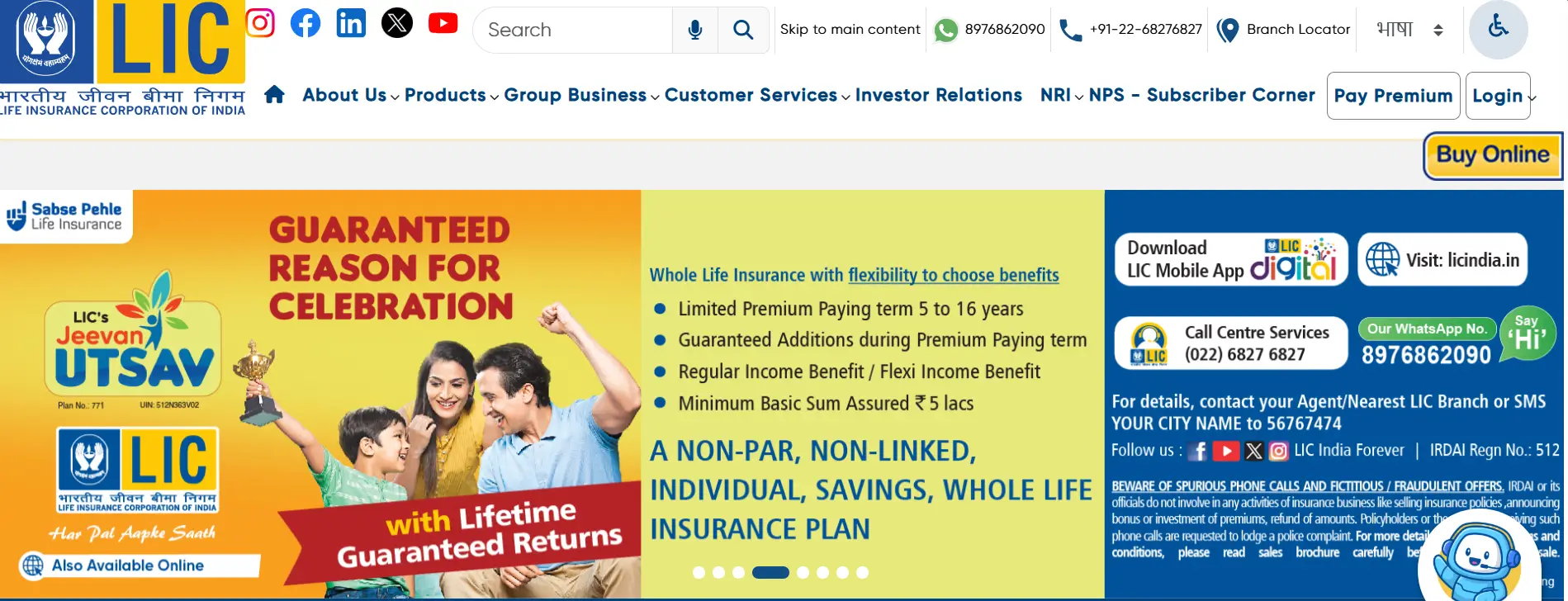
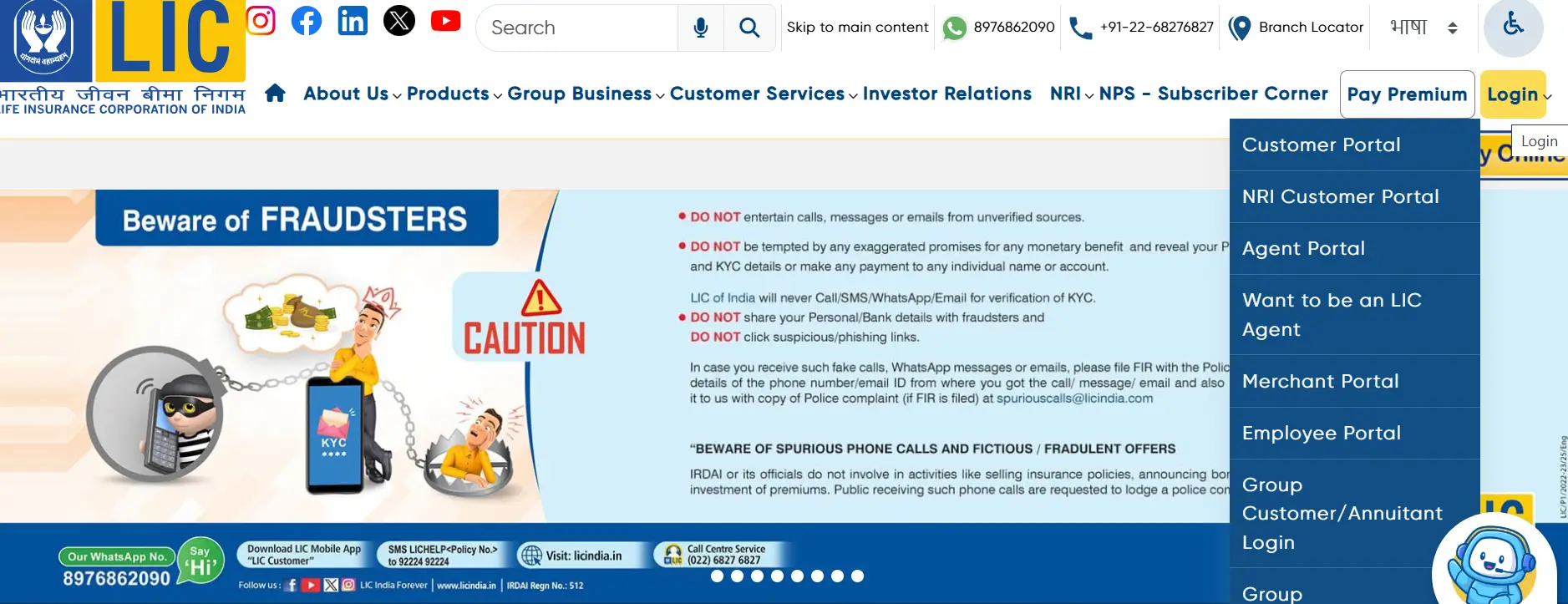
On the homepage, click the "Login" tab and select "Merchant Portal."
- Step 3
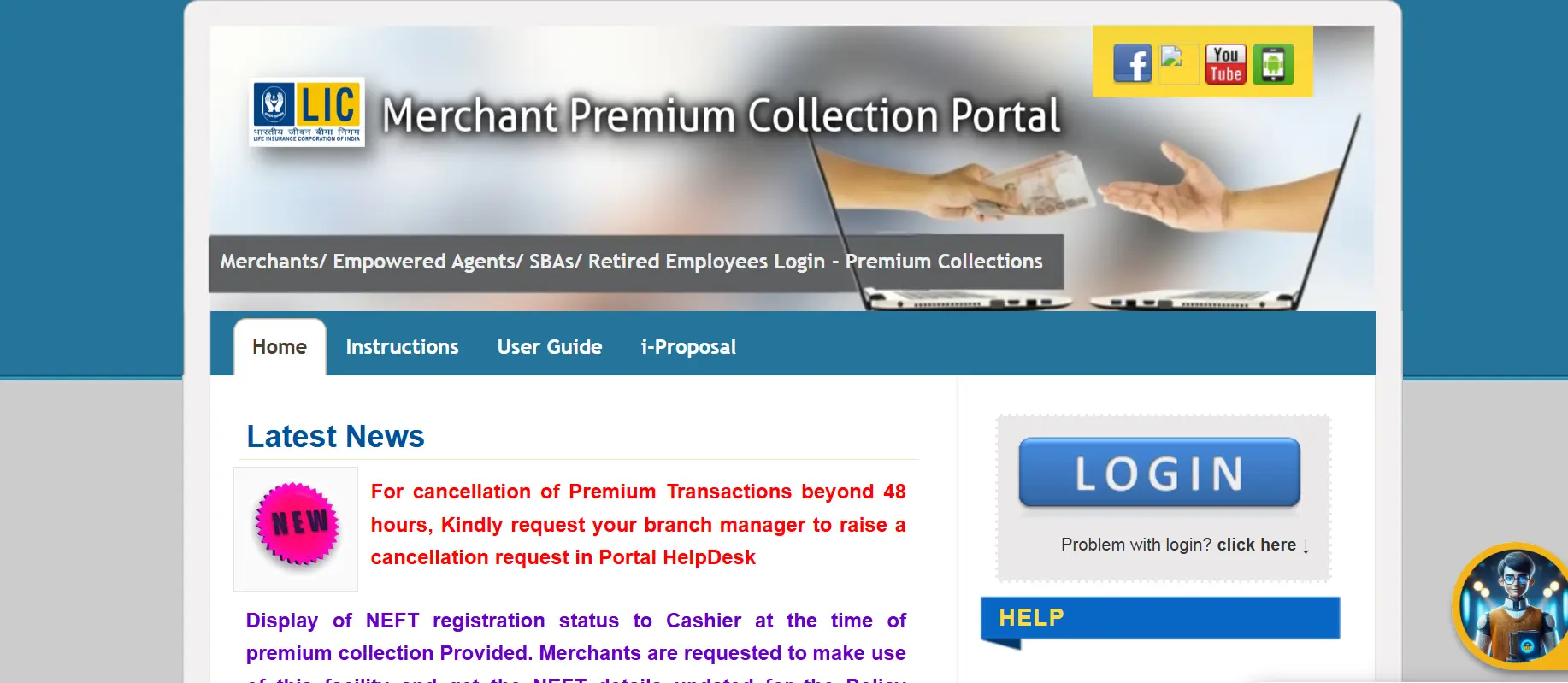
You will be redirected to the LIC Merchant Portal.
- Step 4
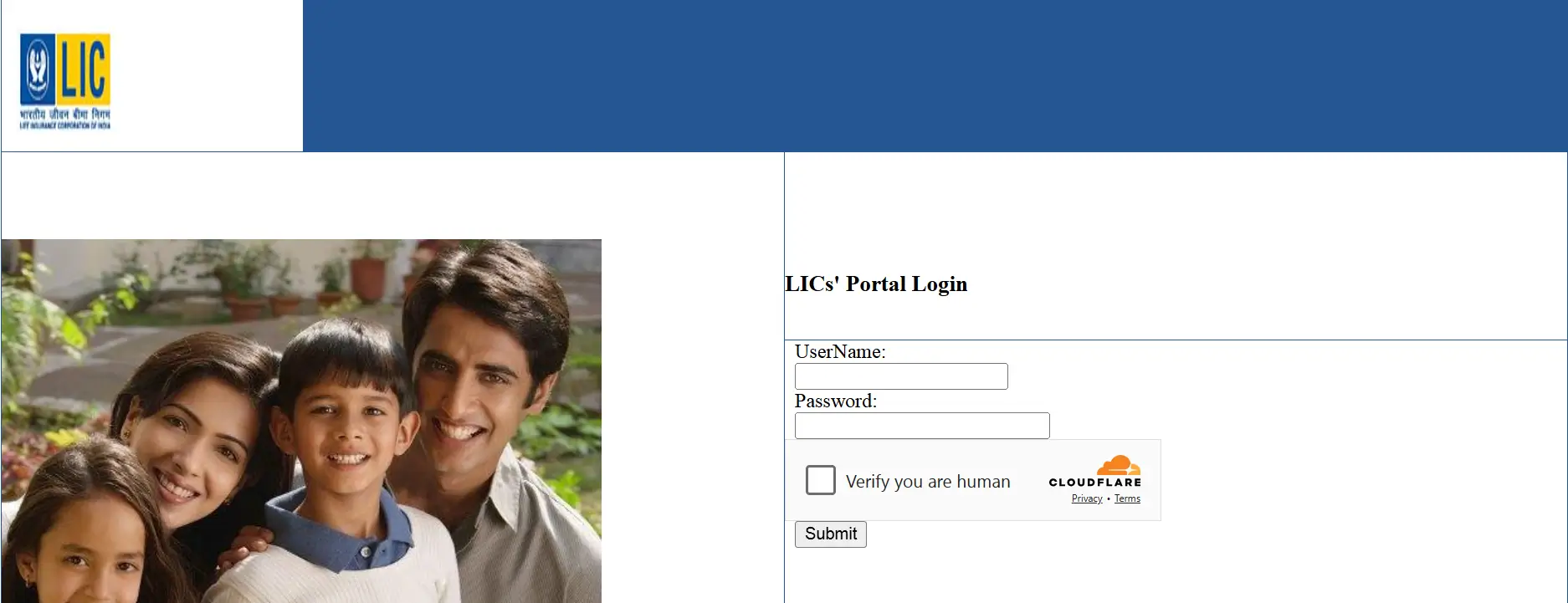
Enter your username and password carefully.
- Step 5
Recheck the details and click "Submit" to access your dashboard.
Method 2: Direct LIC Merchant Portal Login
Visit LIC Merchant Portal Enter Username & Password Click “Submit” Login Successfully
- Step 1
Visit the LIC Merchant Portal.
- Step 2
Enter your username and password.
- Step 3
Verify the details and click "Submit" to log in.
How to Change the LIC Merchant Portal Password
Changing the password after a specific period helps to keep the credentials secure. To change the password on the LIC Merchant Portal, follow the given steps:
Visit LIC Website Choose “Login” “Merchant Portal” Click “Login” Select “Change Password” Enter User ID & Current Password Create New Password Click “Reset”
- Step 1
Visit the official LIC website: https://licindia.in/.
- Step 2
Click on "Login" and select "Merchant Portal."
- Step 3
Select the "Change Password" option.
- Step 4
Enter your User ID, current password, and create a new password. Then, click on "Reset."
- Step 5
Your login ID password will be changed.
How to Recover the LIC Merchant Portal Password
Forgetting your password is common, and the LIC Merchant Portal makes it easy to reset. Just follow these simple steps to recover the LIC Merchant Portal password:
Visit LIC Website Click “Login” “Merchant Portal” Click “Forgot Password” Enter User ID & Registered Details Enter OTP Create New Password Submit Password Reset Successful
- Step 1
Visit the official LIC website: https://licindia.in/.
- Step 2
Click on "Login" and select "Merchant Portal."
- Step 3
Now, click on the "Forgot Password" option.
- Step 4
Enter your User ID and registered email ID or mobile number.
- Step 5
You will receive an OTP on your registered contact details.
- Step 6
Enter the OTP to verify your identity.
- Step 7
Create a new password and confirm it.
- Step 8
Submit the details, and you will see a confirmation message.
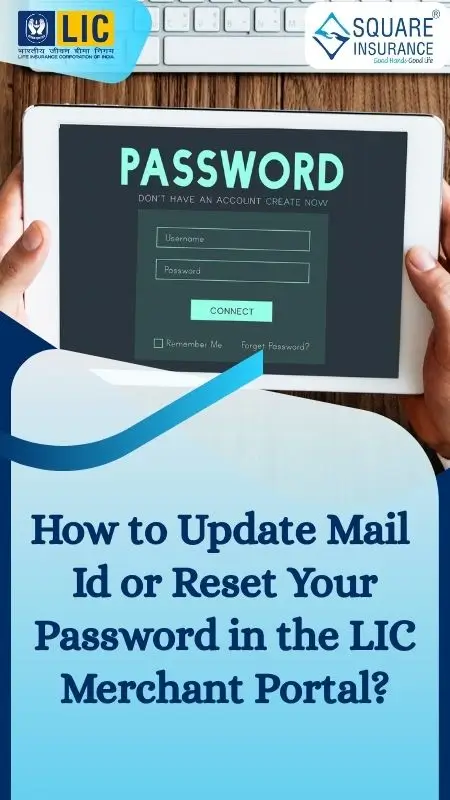
How to Update Your Email ID on the LIC Merchant Portal
To update the email ID to get otp on the LIC Merchant Portal, follow the given steps:
Visit LIC Website Click "Login" Select "Merchant Login" Choose "Update Email ID" Enter OTP Enter ID, Password & New Email Click "Update"
- Step 1
Go to the official LIC website.
- Step 2
Find "Login" on the right side.
- Step 3
Click on the Merchant Login option. You can also log in to the Merchant Portal directly.
- Step 4
Choose "Update Email ID to get OTP" and get the otp.
- Step 5
Now, mention the ID, password, and active email address.
- Step 6
Finally, click on update to complete the process.
How to Pay LIC Merchant Invoice Using Net Banking ?
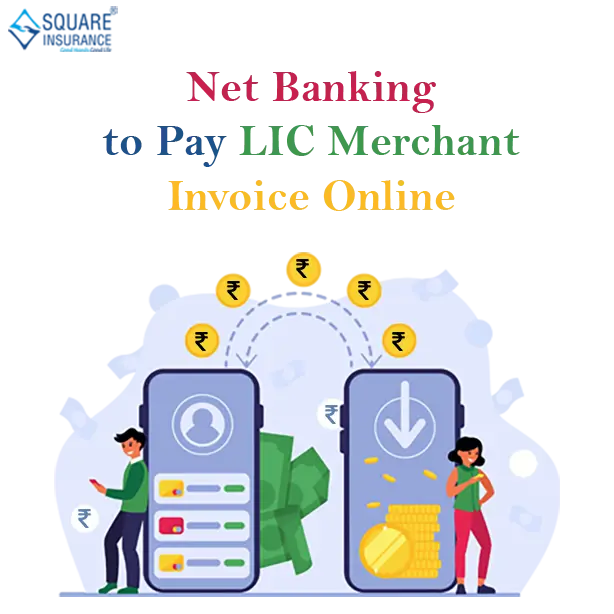
LIC merchants can easily pay invoices online through net banking. Follow these simple steps:
Login to LIC Merchant Portal Go to "Merchant Tools" Select "Pay Invoice Online" Choose Invoice Confirm Amount Select Bank Complete Net Banking Payment Payment Successful & Receipt Generated
Step 1
Visit the official LIC website and log in to your merchant account.
Step 2
Click on "Merchant Tools" and select "Pay Invoice Online."
Step 3
Choose the invoice you want to pay from the list and click Submit.
Step 4
Check the amount and confirm the payment.
Step 5
Select your bank to continue.
Step 6
Complete the payment using net banking.
Step 7
After payment, you will be redirected back to the LIC website.
Step 8
Your payment ID will be shown, and you can print the receipt if needed.
Premium Collection on the LIC Merchant Portal Using QR Code
As an LIC merchant, the most important task is to collect premiums. Here are the steps by which a merchant can easily collect premiums on the LIC Merchant Portal:
Login to LIC Merchant Portal Go to "Premium Collection" Select "QR Payment" Enter Policy Number Verify Details Generate QR Code Customer Scans & Pays Check Payment Status Download/Print Receipt
- 01
Step
Log in to the LIC Merchant Portal.
- 02
Step
Go to the Premium Collection section and select the "QR Payment" option.
- 03
Step
Enter the policy number and click on "Get Policy Details".
- 04
Step
Verify the policy and premium amount.
- 05
Step
Click on "Confirm Payment" to generate the QR code.
- 06
Step
Ask the customer to scan the QR code.
- 07
Step
Check the payment status.
- 08
Step
Download or print the receipt.
Advantages of Using the LIC Merchant Login Portal in 2026
The LIC Merchant Portal makes the work of LIC merchants easier and faster. It helps merchants provide better service to customers and manage their tasks more smoothly.
Here are the main benefits of using the portal as an LIC merchant:
Better Customer Experience
Policyholders can quickly get their policy details and pay LIC premiums easily through the portal.
Faster Payments
The portal and LIC collection points help merchants collect premiums and pay invoices quickly.
Less Paperwork
Everything is done online, so there’s less paper use and better record-keeping. This also helps keep things organized and is good for the environment.
Easy Cash Flow Management
Merchants get instant updates about payments and collections, making it easier to track money and manage work.
LIC Merchant Grievance: Easy Steps to Submit a Complaint
If you are an LIC merchant and have any problems or complaints, you can tell LIC about them through the LIC Merchant Complaints section. Just follow these simple steps:
Visit LIC Website Open Merchant Portal Login (User ID & Password) Go to “Merchant Complaints” Fill Complaint Details Submit Complaint Receive Acknowledgement Number Track Complaint Status- Step 1
Go to the official LIC website.
- Step 2
Open the Merchant Portal page from the login option.
- Step 3
Log in using your User ID and Password.
- Step 4
From the drop-down menu, click on LIC Merchant Complaints.
- Step 5
Fill out details such as merchant name, merchant ID, contact details, and policy number.
- Step 6
Type your complaint clearly so LIC can understand and fix the issue.
- Step 7
Click Submit to send it.
- Step 8
Now, you will get an acknowledgement number by which you can easily track your complaint status.
Note: After submission, note down the complaint reference number, as it can be used later to track the status of your grievance in the portal.
Customer Care Support Details for LIC Merchant Portal
If you face any issues with the LIC Merchant Portal login or related services, you can easily contact LIC support using the details below:
Contact Details for LIC Merchant Portal Login

Merchant Support Numbers
022-67090501 / 022-67090502

WhatsApp Support
89768-62090

Email Id
Technical / Portal Issues : agent_support@licindia.com
Technical / Portal Issues : dev_support@licindia.com
Grievance Redressal : co_complaints@licindia.com
Mobile Apps for LIC Merchant Portal Support
LIC also provides mobile apps to make your work easier and more efficient:
- 1
KYC Android App
This app helps in the quick and easy digital submission of KYC documents.
- 2
LIC Agent App
Lets you track policies, claims, performance, renewals, and schedule tasks easily.
- 3
LIC Pragati App
This app is useful for development officers to monitor team performance and manage business efficiently.
- 4
LIC Associate App
Merchants can track performance, manage renewals, and view business insights through this app.
- 5
ANANDA App
It helps in paperless processes related to eKYC and digital signatures for faster policy handling.
Common Problems While Using the LIC Merchant Portal and Their Solutions
Here are common problems users face while using the merchant portal, explained in very simple language:
| Problem | Solution |
|---|---|
| Login Failed | To avoid such an issue, check your username and password again. |
| OTP Not Received | Re-check your email and phone messages. Also, look in the spam folder of your mail ID and SMS as well. Wait for one minute and try again. Update your contact details if needed. |
| Invoice Missing | Always search with the correct policy or invoice number. Wait for some time if it is not showing, or refresh accordingly. |
| Receipt Not Printing | On the LIC merchant portal, download the receipt again. If the issue still exists, then check your printer connection. Clear the browser cache and reload the page. |
| Phishing or Fraud Risk | Avoid clicking on unknown links or emails. Always verify if the message is genuinely from LIC before taking any action. |
| Risk of Unauthorised Access | Always log out after use, especially on shared devices, and enable two-factor authentication (2FA) if available. Also, create a strong password using letters, numbers, and special characters. |
Important Guidelines for LIC Merchants
Here are the tips that a merchant should follow for a smooth LIC merchant login:
- Update Details Always use the correct mobile number and email ID on the portal for login.
- Follow Rules Stick to LIC and IRDAI guidelines to maintain proper and ethical work.
- Maintain Privacy As an LIC merchant, try to keep all customer information safe and confidential.
- Attend Training Join LIC training sessions to stay updated with new processes and services.
- Collect Premiums Timely Look for timely payments and maintain proper records.
- Offer Reliable Service Answer customer queries quickly to help them in a proper way.
- Report issues quickly Inform LIC support immediately if you face any problem.
FAQs
The LIC Merchant Portal is an online platform where LIC agents and merchants can collect premiums, view receipts, manage invoices, and help customers with LIC policies.
To log in to the LIC Merchant portal, you have to:
- Go to the official LIC website.
- Click on Merchant Login under “Other Online Services.”
- Enter your User ID and Password to log in.
Click on the “Forgot Password” option on the login page. LIC will send a new password to your registered email.
Log in to your Merchant account, then select “Update Email ID to get OTP.” Follow the steps shown to add or change your email.
Yes, you can. After logging in, go to Merchant Tools, click “Pay Invoice Online,” select the invoice, and pay through your bank’s payment page.
After logging in, go to the receipt section, select the payment, and click Print to get a copy of the receipt.
You can submit your issue in the “LIC Merchant Complaints” section after logging in. Write your problem and submit it so LIC can solve it.
Yes, the portal allows you to check your past invoices and premium receipts anytime after logging in.
Yes, the portal is secure and used only by approved LIC agents and merchants. Always keep your login details safe.
Yes, you can open the LIC website and use the Merchant Portal on your phone through a browser, just like on a computer.