
 457*
457*By clicking on You, Agreed to our Privacy Policy & Terms of use *Disclaimer
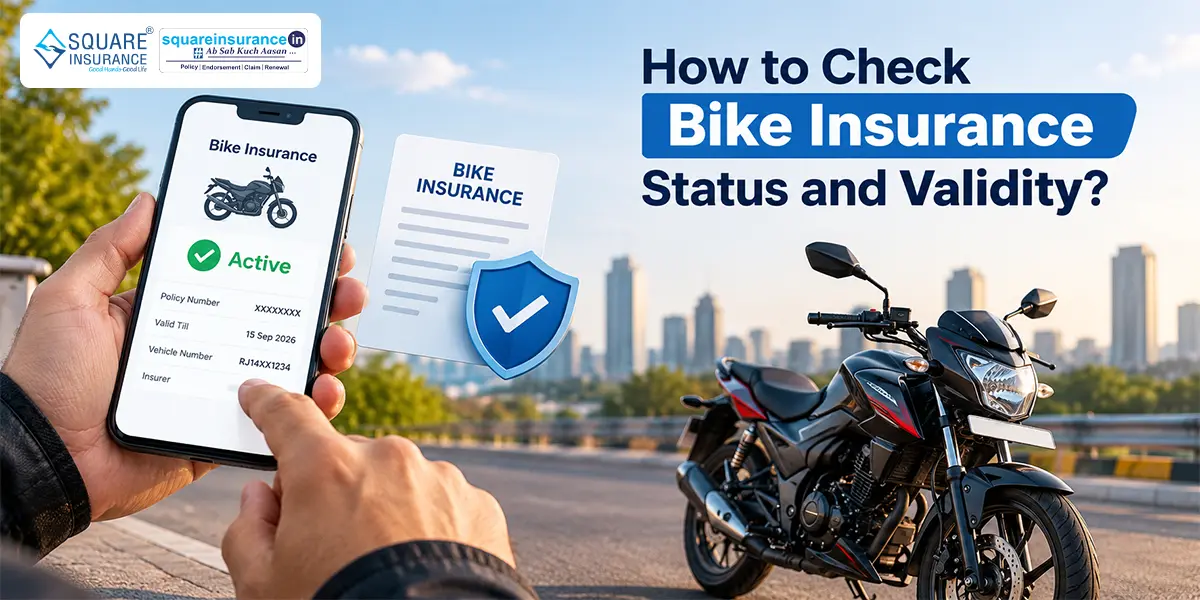
- You can check your bike insurance details through the VAHAN portal using your registration number.
- The mParivahan app also shows the insurance validity linked to your vehicle.
- Check the policy expiry date before taking your bike on the road.
- An active insurance policy helps you stay compliant with mandatory third-party insurance requirements.
- The older public-facing IIB search facility is not the main route for citizens today.
Sometimes you can miss your bike insurance renewal if you do not know when your policy expires. And this not only leads to financial risks but also may result in a challan of Rs 2000 for a first offense.
It is easy to forget when your policy expires, especially if you have bought a long-term policy. Checking your policy status regularly helps you know the insurance policy validity and avoid such shortcomings in the future.
You can check the status of bike insurance online through government platforms such as the Parivahan portal and mParivahan (App).
- How Can You Check Bike Insurance Status Online?
- Check Bike Insurance Status Through Parivahan Portal?
- How to Check Bike Insurance Validity Through mParivahan?
- What Details Can You Check?
- Is the IIB Portal Still Available for Public Bike Insurance Checks?
- Why Should You Check Your Bike Insurance Validity?
- What Should You Do If Your Insurance Details Are Not Showing?
- How Often Should You Check Your Bike Insurance Status?
- Conclusion
- FAQs
How Can You Check Bike Insurance Status Online?
There are a few ways to check whether your bike insurance is active. These options let you check the insurance details linked to your bike without going through old policy documents. The most useful options are the Parivahan Sewa portal and the mParivahan app.
You generally need your bike's registration number to find the insurance details.
Check Bike Insurance Status Through Parivahan Portal?
The VAHAN portal is one of the easiest ways to check the insurance details linked to your vehicle.
Steps to Check Insurance Details on Parivahan Sewa Portal
- 1.Visit the official Parivahan portal.
- 2.Open the "Online Services" service.
- 3.Then go to "Vehicle-Related Services".
- 4.Now select your state from the drop-down menu.
- 5.You will be redirected to VAHAN. Select your RTO area and then click on "Proceed".
- 6.Here, navigate to the "Additional Services" option.
- 7.Then click on "Know Your Vehicle Details"
- 8.Now enter the required details along with the CAPTCHA.
- 9.Check the vehicle information displayed on the portal. You may check insurance status, policy expiry date, and insurer name.
Once you select your state under the above-mentioned steps, you will be redirected to the relevant VAHAN portal. You can also directly visit the VAHAN portal to check your bike insurance status.
How to Check Bike Insurance Validity Through mParivahan?
If you prefer using your phone, the mParivahan app provides another convenient option.
Steps to Check Insurance Validity on mParivahan
- 1.Download the official mParivahan app.
- 2.Register using your mobile number.
- 3.Enter your bike's registration number.
- 4.Open the vehicle details shown in the app.
- 5.Check the insurance validity displayed on the vehicle dashboard.
The app can also give you access to your digital vehicle information, making it useful when you do not have your physical RC with you.
What Details Can You Check?
When you check your bike insurance details through VAHAN or mParivahan, the information available can include:
- Insurance validity
- Policy expiry date
- Insurer's name
- Vehicle registration details
- Other available vehicle and fitness information
The exact information displayed depends on the records available in the government database.
Is the IIB Portal Still Available for Public Bike Insurance Checks?
The Insurance Information Bureau of India (IIB) maintains insurance-related data and has been involved in sharing motor insurance information with government systems. Insurance data is uploaded to the VAHAN database and reflected through platforms such as mParivahan.
For a quick check of the insurance details linked to your own bike, VAHAN and mParivahan are convenient options. If the information displayed online is missing or does not match your policy, confirm the details with your insurer.
Why Should You Check Your Bike Insurance Validity?
Checking your insurance before the expiry date can help you avoid a few common problems.
1Avoid Riding Without Valid Insurance
Third-party bike insurance is mandatory in India. Checking your policy status helps you confirm that your cover is still active.
2Renew Before the Policy Expires
If you know the expiry date in advance, you have enough time to renew your policy and avoid a break in coverage.
3Confirm Your Insurance Details
A quick bike insurance status check can help you confirm that the policy details linked to your vehicle are updated correctly.
4Avoid Last-Minute Problems
Finding out that your insurance has expired when you need it is not a situation you want to deal with. Checking the status periodically keeps you aware of your policy's validity.
What Should You Do If Your Insurance Details Are Not Showing?
Sometimes, the insurance information displayed online can be missing or outdated. If this happens:
- 1.Check that you entered the correct registration number.
- 2.Verify the insurance details with your insurer.
- 3.Keep your policy document or renewal receipt handy.
- 4.Ask the insurer to update or correct the records if required.
Do not assume that an insurance policy is inactive only because the online record is not showing correctly. Confirm the status with your insurer.
How Often Should You Check Your Bike Insurance Status?
You do not need to check it every day. Checking your policy once before the expiry date is generally enough.
It is also useful to check your insurance details after renewal. This helps you confirm that the updated policy information has been recorded correctly.
Conclusion
You can check bike insurance online through the Parivahan Sewa portal or the mParivahan app using your vehicle registration number. These platforms can show important details such as the insurer's name and policy validity.
The old public-facing IIB search route is no longer the main option for individual vehicle owners. A quick check before your policy expires can help you renew on time and continue riding with valid insurance.
FAQs
You can check your bike insurance status through the VAHAN portal or the mParivahan app using your bike's registration number.
Yes, your bike's registration number can be used on VAHAN or mParivahan to view the available insurance validity details.
Enter your vehicle registration number on the VAHAN portal or mParivahan app. The available vehicle details can include the insurance expiry date.
IIB's current systems are focused on industry and government use. For individual vehicle owners, VAHAN and mParivahan are the more practical options for checking bike insurance details.
First, verify the details with your insurer. If the policy is active but the government record is not updated, contact the insurer and ask them to correct or update the information.
A bike insurance validity check helps you know whether your policy is active and when it needs to be renewed. It also helps you avoid accidentally riding without valid insurance.
 457*
457*By clicking on You, Agreed to our Privacy Policy & Terms of use *Disclaimer
- 5.5 CrRegistered Consumers
- 50+Insurance Partners
- 3.4 CrPolicies Sold


