
EPF Forms
For every action in your EPFO account, such as opening the account, transferring money, withdrawing funds, or final settlement, there are different forms you need to fill out. These forms help you use the right service easily.
List of EPF Forms and Their Role
Here is the list of EPF forms that you should know as an EPF member:
- EPF Form 19:
Final PF Settlement
This form is used to withdraw your full PF amount after leaving your job or retiring.EPF Form 10C:Pension Withdrawal
This form is used to withdraw pension benefits if you have worked for less than 10 years. This is a single form that can be used for multiple purposes, including full, partial, or pension withdrawals. It is available in two versions: Aadhaar and Non-Aadhaar. The Composite Claim Form is a single document that replaces multiple forms, allowing you to:
Withdraw full PF (earlier Form 19)Withdraw pension amount (earlier Form 10C)Take partial withdrawal/advance (earlier Form 31)- EPF Form 11:
Employee Declaration
A new employee fills this form. It provides PF details, checks eligibility, and can also help in transferring your previous PF account. - EPF Form 2:
Nomination Form
This form is used to add a nominee. A nominee is the person who will receive your PF and pension amount in case of the member's death. - EPF Form 13:
PF Transfer Form
This form is used to transfer your PF balance from your old employer to your new employer. - EPF Form 10D:
Monthly Pension
This form is used to start receiving a monthly pension after retirement, usually when you have completed 10 years or more of service. - EPF Form 3A:
Annual Contribution Statement
This form shows the yearly contribution details of an employee's EPF account, including both employee and employer contributions.EPF Form 5:New Employee Details
The employer fills out this form. It includes details of new employees who are eligible to join the EPF scheme.EPF Form 12A:Monthly Contribution
This form is submitted by the employer every month. It provides a summary of the total EPF contributions made for all employees, including both employee and employer shares. - EPF Form 14:
LIC Policy Payment
This form allows you to use your PF balance to pay premiums for a LIC insurance policy.EPF Form 15G / 15H:Tax Saving Forms
These forms help you avoid TDS (tax deduction) on PF withdrawal if you meet certain conditions.
Form 15G is for individuals below 60 years.Form 15H is for senior citizens. Here are some of the needs and the required form for the same:
Situation Form Required Leaving a job and want full PF Form 19 Want pension withdrawal (worked for < 10 years) Form 10C Want a monthly pension Form 10D Changing job Form 13 New employee joining Form 11 Adding nominee Form 2 Avoid TDS on withdrawal Form 15G / 15H Multiple withdrawal needs Composite Claim Form You can submit many EPF forms online through the portal of the Employees' Provident Fund Organisation with an activated UAN and KYC. The exact steps may vary slightly depending on the form, but the overall process is similar.
General Steps to Submit EPF Forms OnlineVisit the EPFO Member Portal.Log in using your UAN and password.Go to Online Services.Select the relevant service (claim, transfer, etc.).Fill in the required details.Submit the form and verify using OTP.Aadhaar-Based Online ClaimsAvailable for forms like withdrawal and advance.Does not require employer approval.Faster processing if KYC is verified.When Offline Forms Are RequiredKYC is not updated.Employer verification is needed.Certain forms or cases are not available online.
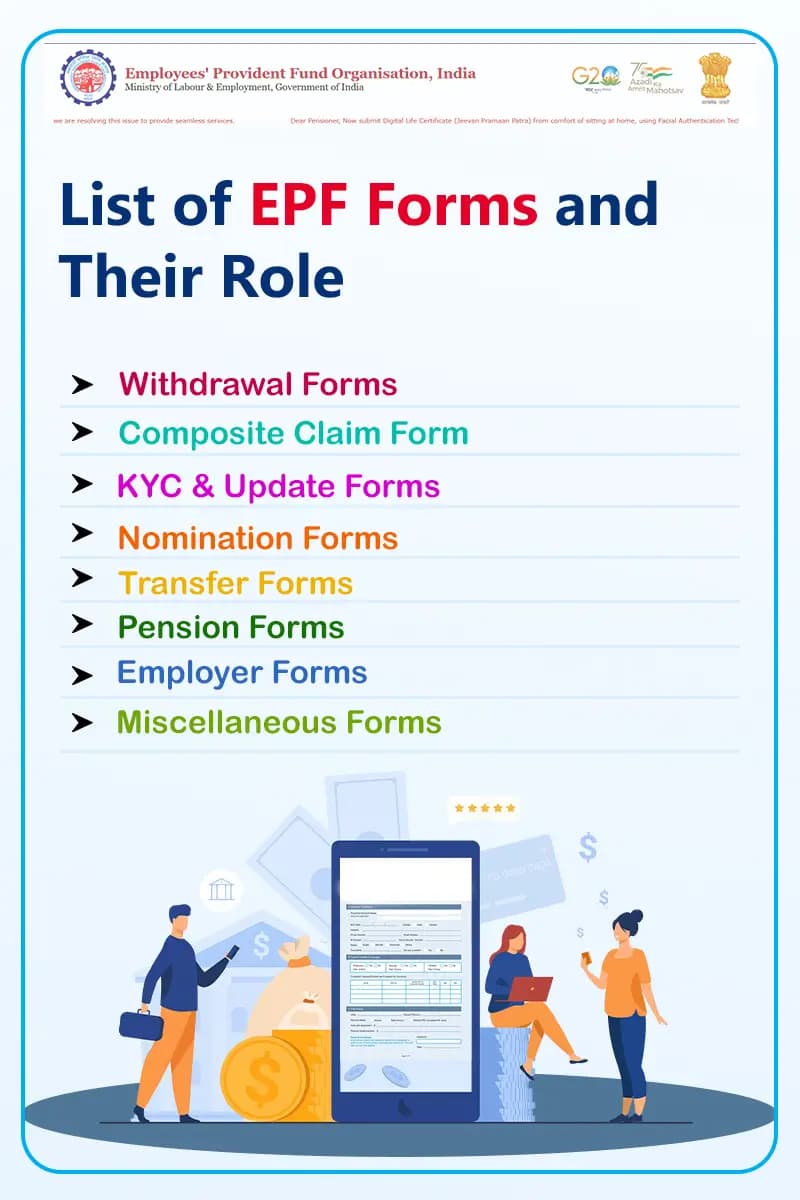
01Withdrawal Forms
These forms are used when you want to withdraw your PF or pension amount.
02Composite Claim Form
03KYC & Update Forms
These forms are used when you join a job or need to update your EPF details.
04Nomination Forms
These forms help you assign a nominee for your EPF account.
05Transfer Forms
These forms are used when you switch jobs and want to move your PF balance.
06Pension Forms
These forms are used to claim pension benefits.
07Employer Forms
These forms are handled by employers for employee records and contributions.
08Miscellaneous Forms
These forms are used for specific or additional purposes.
Which EPF Form Should You Use?
How to Fill EPF Forms Online
More About EPFO and Its Services
FAQs
EPF Form 11 is filled out by a new employee at the time of joining. It helps provide PF details and check eligibility. It can also be used to transfer your previous PF account.
You should use EPF Form 13 when you change jobs and want to transfer your PF balance from your old employer to the new one.
EPF Form 31 is used for a partial withdrawal from your EPF account. You can use it for needs like medical expenses, education, or home-related purposes.
EPF Form 19 is used when you want to withdraw your full PF amount after leaving your job or retiring.
EPF Form 10D is used to start receiving a monthly pension after retirement, usually if you have completed 10 years or more of service.
EPF Form 3A is an annual statement that shows the total PF contributions made by both the employee and employer during the year.
Form 10C is used to withdraw pension benefits if you have worked for less than 10 years. Form 10D is used to receive a monthly pension after completing 10 years of service.