
E-Challan Payment in India: Check, Pay & Track Traffic Challans Online
 Instant Policy
 Best Prices
 No Paperwork
By clicking on You, Agreed to our Privacy Policy & Terms of use *Disclaimer
Every offence comes with a punishment. Violations like jumping a red light, speeding, or parking in the wrong place, even if committed on the road, can lead to penalties and fines.
To make the system more transparent and efficient, the Government of India introduced the e-challan system in 2016. This is governed under the Motor Vehicles Act, 1988.
An e-challan is a digital way of issuing traffic fines. Instead of paper slips, you receive a notification on the registered mobile number. As the whole process exists online, you can easily check the e-challan status online.
What is an E-Challan?
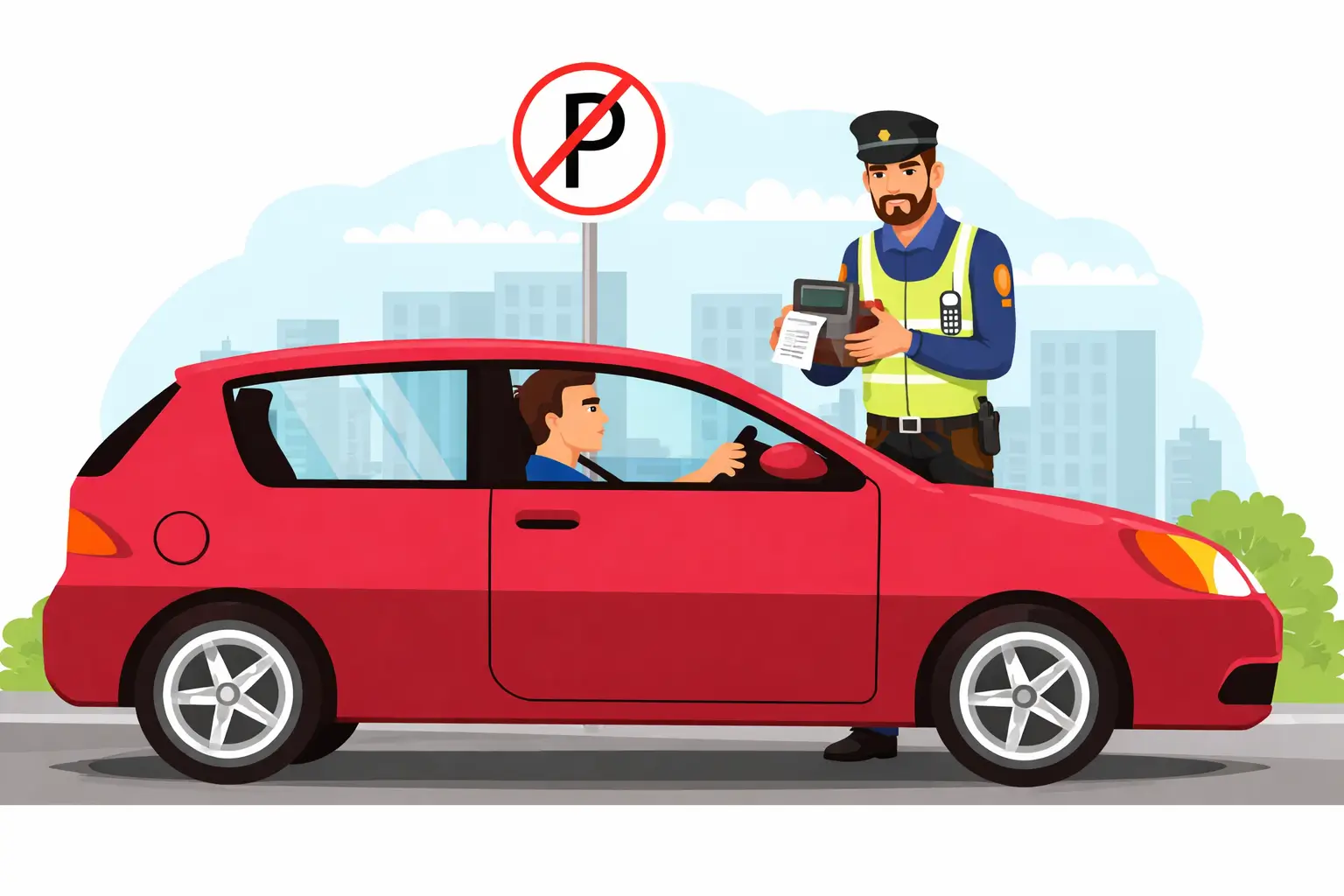
An e-challan (electronic challan) is a token given to vehicle owners when they violate traffic rules on the road. It is a digital traffic fine issued by the traffic police, CCTV cameras, and other monitoring systems. An e-challan is issued for every offence that attracts a fine.
How Does the E-Challan System Work in India?
When you break a traffic rule, your vehicle is either caught on a CCTV camera or noted by a traffic police officer using a handheld device.
The system then:
- Records your vehicle number
- Fetches your details from the government database
- Generates an e-challan with the fine amount
After that, you receive an SMS on your registered mobile number. You can check the challan online and pay the fine easily.
Process to Check Traffic Challan Status Online Through Parivahan
Parivahan Website Online Services e-Challan Pay Online Enter Details Fill Captcha View Challan Pay Fine- Step 1
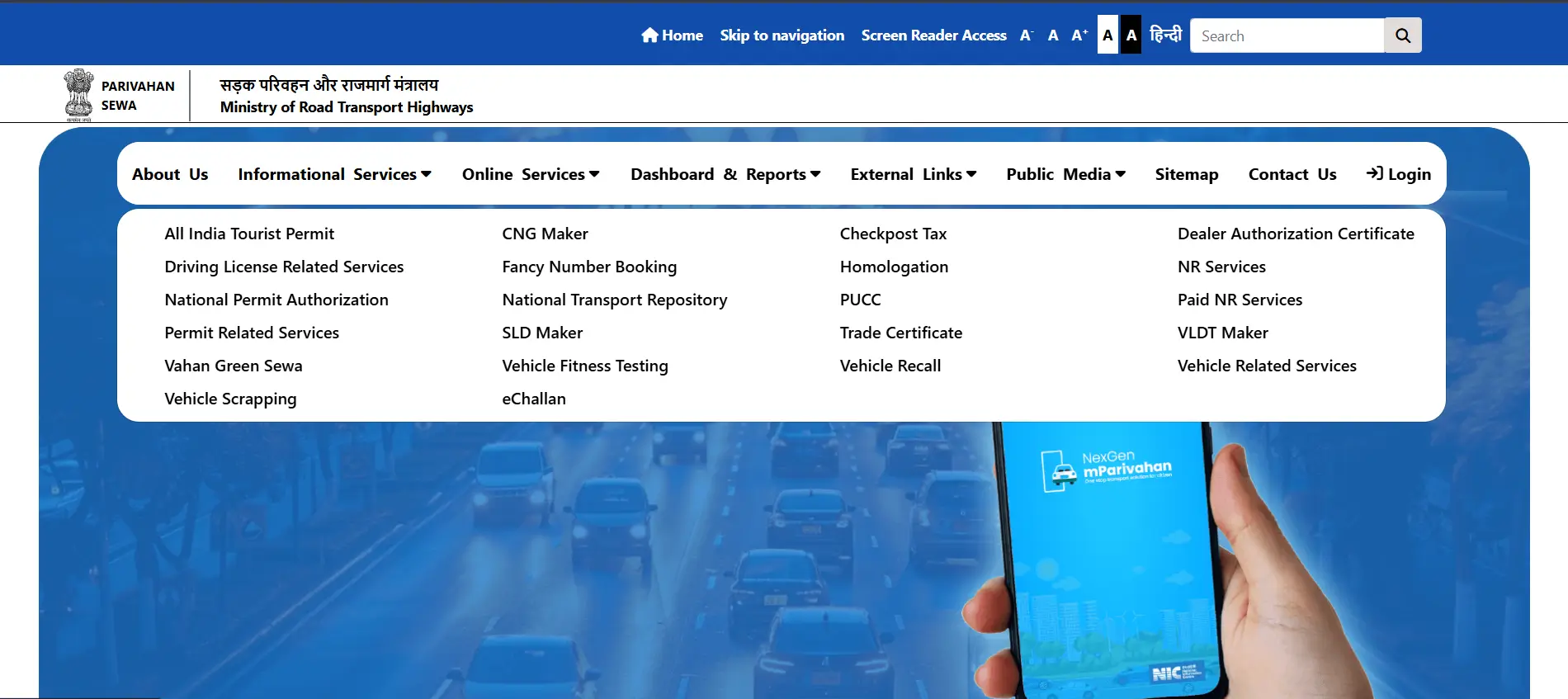
Go to the official Parivahan website.
- Step 2
On the homepage, click on the "Online Services" option.
- Step 3
From the dropdown, select "e-Challan System".
- Step 4
On the next page, click on "Check Online Services".
- Step 5
Choose the "Check Challan Status" option.
- Step 6
Enter the required details such as the challan number, vehicle number, or driving licence number.
- Step 7
Fill in the captcha code.
- Step 8
Click on the "Get Detail" button.
- Step 9
The e-challan status will be displayed on the screen.
Note: You can also directly go to the e-challan page of Parivahan for checking the e-challan status and payment. And, directly proceed from the “Check Online Services” option in every step.
Simple Process to Pay E-Challan Online in India Through Parivahan
Parivahan Website Online Services e-Challan Pay Online Enter Details Fill Captcha View Challan Pay Fine- Step 1
Visit the official Parivahan website and click on "Online Services".
- Step 2
Now, select the "e-Challan" service.
- Step 3
On the next page, click on the "Pay Online" option available in the right corner.
- Step 4
Enter the required details such as the challan number, vehicle number, or driving licence number.
- Step 5
Fill in the captcha code and click to view the challan details.
- Step 6
Now, proceed to pay the fine amount online.
Easy Steps to Pay E-Challan Offline
Visit Traffic Office Provide Details Pay Fine Collect Receipt- Step 1
Visit the nearest traffic police station or designated traffic office.
- Step 2
Provide the challan details such as vehicle number, challan number, or driving licence number.
- Step 3
The traffic officer will check the pending challan in the system.
- Step 4
Pay the fine amount using cash or available offline payment methods.
- Step 5
Collect the payment receipt as proof of settlement.
Simple Steps to Download E-Challan Receipt
Parivahan Website Online Services e-Challan Check Challan Status Enter Details View Paid Challan Download Receipt Save/Print- Step 1
Go to the official Parivahan website.
- Step 2
Click on "Online Services" and select the "e-Challan" option.
- Step 3
Choose the "Check Challan Status" service.
- Step 4
Enter the challan number, vehicle number, or driving licence number.
- Step 5
Fill in the captcha code and click on "Get Detail".
- Step 6
Find the paid challan and click on the "Download Receipt" option.
- Step 7
Save or print the receipt for future use.
Quick Process to Raise an E-Challan Complaint
Parivahan Website Online Services e-Challan Grievance Enter Challan Number Raise Grievance Fill Details Submit Complaint Raised- Step 1
Visit the official Parivahan website and click on "Online Services".
- Step 2
Select the "e-Challan" service from the options.
- Step 3
On the next page, click on the "Grievance" option.
- Step 4
Enter the challan number in the required field.
- Step 5
Click on "Raise Grievance".
- Step 6
Fill in the necessary details and submit the complaint.
- Step 7
Your ticket will be raised.
Steps to Check E-Challan Complaint Status
Parivahan Website Online Services e-Challan Grievance Enter Challan Number Check Status Enter E-Ticket No.+ Captcha View Status- Step 1
Visit the official Parivahan website and click on "Online Services".
- Step 2
Select the "e-Challan" service from the options.
- Step 3
On the next page, click on the "Grievance" option.
- Step 4
Enter the challan number in the required field.
- Step 5
Click on "Check Ticket Status".
- Step 6
Then fill in the E-ticket number and the captcha.
- Step 7
Your e-challan complaint status will be displayed on the screen.
Common Traffic Violations & E-Challan Fines in India
| Common Traffic Violation | Fines (Approx.) |
|---|---|
| Driving without a valid licence | Rs. 5,000 |
| Driving without insurance | Rs. 2,000 (Rs. 4,000 for repeat offence) |
| Driving without PUCC | Rs. 10,000 |
| Over-speeding | Rs. 1,000 to Rs. 2,000 (based on vehicle type) |
| Drunk driving | Rs. 10,000 and/or imprisonment |
| Dangerous or rash driving | Rs. 1,000 to Rs. 5,000 or court challan |
| Traffic signal violation | Rs. 1,000 |
| Not wearing a seatbelt | Rs. 1,000 |
| Riding without a helmet | Rs. 1,000 + possible licence disqualification |
| Using a mobile phone while driving | Up to Rs. 5,000 |
| Triple riding on a two-wheeler | Rs. 1,000 to Rs. 2,000 + possible licence penalty |
| Driving without a Registration Certificate (RC) | Rs. 5,000 (Rs. 10,000 for repeat offence) |
| Not giving way to an emergency vehicle | Rs. 10,000 |
| Parking in a no-parking zone | Rs. 500 to Rs. 1,000 |
Disclaimer: The fines mentioned above are general and based on traffic rules in India. The actual amount may change depending on the state, city, or type of offence.
What Happens If You Do Not Pay an E-Challan?
Not paying the e-challan fine can lead to more serious consequences over time. Some of the negative effects are:
- If the challan is not paid on time, extra charges or penalties may be added.
- In some cases, the matter is sent to a traffic court. After a notice, the offender has to appear.
- Non-payment can lead to suspension or disqualification of the driving licence.
- Pending challans can create problems while: Documents renewal Vehicle's sale Transferring ownership
- For major offences or long-pending challans, stricter legal action may be taken.
Technology Used in the E-Challan System and Its Benefits
| Device / System Used | Benefit |
|---|---|
| CCTV Cameras | Capture violations with clear evidence |
| ANPR System | Detects vehicle number automatically |
| Handheld Devices | Enables instant challan issuance by the traffic police |
| Centralised Database | Fetches accurate vehicle and licence details |
| SMS Notification System | Sends instant challan alerts |
| Online Payment System | Makes fine payment quick and cashless |
| Digital Records | Keeps proper history of violations and payments |
Easy Ways to Avoid Traffic E-Challans
Driving on the roads can be simple and penalty-free if you follow some simple rules. Here is a list of them:
- Follow traffic rules at all times
- Do not jump red lights
- Avoid over-speeding
- Always wear a helmet or seatbelt
- Do not use a mobile phone while driving
- Pay the e-challan on time, usually within 60 days.
- Keep all vehicle documents valid (RC, insurance, licence, PUCC)
- Park only in the allowed areas
- Give way to emergency vehicles
 Link Between Vehicle Insurance and Challan
A valid third-party insurance is compulsory for every vehicle under the Motor Vehicle Act, 1988, in India. Driving a vehicle without it can lead to a challan issuance against your vehicle. So, if you have a car, then get car insurance, and for any other vehicle, choose insurance likewise. It will help you to avoid penalties and provide financial protection too in any mishaps.
Motor Insurance Articles
FAQs
Yes, you can easily check the e-challan status online through the Parivahan website by entering the vehicle number, challan number, or driving licence number.
Yes, traffic e-challan status online can be checked by visiting the official e-challan portal and entering the required details along with the captcha code.
Yes, e-challan complaint status can be checked on the respective state traffic police website or portal where the complaint was raised.
Yes, e-challan can be paid after the due date, but in some cases, additional penalties or legal action may apply.
Yes, it is necessary to pay the e-challan, as non-payment can lead to penalties, court notice, or issues with vehicle documents.
Yes, an e-challan is usually updated within a few hours or days after the violation, depending on the system and location.
To do an RTO check, go to the Parivahan portal, enter your vehicle number in the "Know Your Vehicle Details" section, and you will get complete RTO information, including the owner's name, fuel type, and registration date.